
Printer problems in your Perth business? What to check and when to call for help
A printer problem can hold up invoices, client documents or drawings needed on site. The immediate priority is to get the work moving again. The next question is whether the printer needs a simple fix, a repair or a longer-term change.
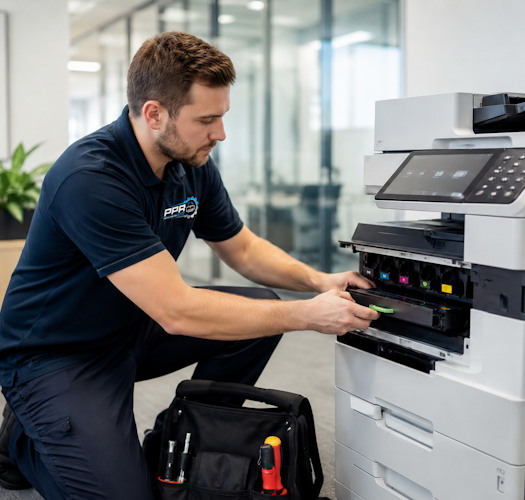
Perth Printer Repairs has been helping keep Perth businesses printing since 2001. We work with business printers and wide-format plotters, helping customers make practical decisions about servicing, repairs, genuine consumables and replacement equipment.
Start with the information on the screen
Before restarting the printer, photograph any error message or code. Note the make and model, what you were trying to print and whether the problem affects one computer or everyone in the office.
For print quality problems, keep a sample showing the marks, faded areas or missing colours. Tell us if you recently changed toner or ink, moved the printer or changed your network. These details help us understand the problem before a visit.
A few simple checks before booking a repair
Follow the instructions for your particular printer. Keep checks to the covers, trays and parts intended for normal user access.
- Check paper and trays. Confirm there is suitable paper loaded and that the guides and paper settings match it. For a jam, follow the screen instructions or manufacturer’s guide. Do not force paper or mechanisms, or reach into inaccessible areas.
- Read the consumables message. A low toner or ink warning is different from a cartridge recognition error or a drum warning. Record the exact message before replacing anything.
- Check the print destination. Make sure the computer is sending the job to the correct printer. Note whether other staff can still print.
- Check visible connections. Look for a disconnected USB or network cable. Ask your IT provider about network changes rather than changing settings at random.
- Restart normally if appropriate. Use the printer’s normal shutdown procedure, then restart it. Do not interrupt a firmware update. If the fault returns, record it rather than repeatedly restarting.
When a technician’s assessment is worthwhile
Repeated jams, persistent error messages, unusual mechanical noises and ongoing print quality problems deserve a closer look. A fault that clears temporarily may still need attention if it keeps returning.
Replacing cartridges without understanding the cause can become expensive. Our approach is to assess the equipment and explain the recommended next step, whether that is servicing, replacement parts, consumables or a new printer.
For an on-site visit, we confirm the location, equipment, availability and applicable charges when arranging the booking. Some repairs require parts to be ordered or a further visit. We explain that once the requirements are known.
Genuine toner and ink are part of the conversation
If your printer develops poor output or cartridge-related warnings, let us know what consumables are installed and when the problem began. A consumable change is useful diagnostic information, but it does not establish the cause on its own.
Perth Printer Repairs recommends and supplies genuine toner and ink. We can help identify the correct products for your equipment and quote for your next order. If you need servicing and consumables, discussing both together helps us recommend a practical way forward.
Repair or replace? Age is only one factor
A printer should not automatically be replaced because it has reached a particular birthday. We consider its condition, workload, service history, parts availability and suitability for the business.
Repair may be worthwhile when the machine still meets your needs and the fault can be resolved economically. Replacement may make more sense when faults recur, parts become difficult to obtain or the printer no longer suits your workload.
The useful comparison is the expected value of the repair against a suitable replacement, including running costs and disruption. Where appropriate, we can provide options so you can decide before committing.
Wide-format plotters need the same practical assessment
For businesses relying on drawings and plans, plotter downtime can interrupt work beyond the office. When contacting us about an HP DesignJet or Epson SureColor plotter, include the model, error message and a sample of any print quality problem.
Tell us about roll-feed issues, missing colours and recent ink changes. Follow the model’s user instructions for routine checks and cleaning; ask for advice if the issue persists.
When PrintCare could help
If your business wants more predictable printing costs and a clear point of contact, a tailored PrintCare arrangement may be worth discussing.
PrintCare Managed Services can cover servicing and repairs, with consumables included where agreed. The proposal sets out the covered equipment, inclusions, exclusions and payment arrangements. Consumables are not automatically included in every agreement.
PrintCare Supplies is an option for businesses primarily looking for help sourcing genuine toner and ink.
We start with your equipment and requirements, then recommend a suitable approach. You can also continue using PPR for individual service visits and consumables orders.
Tell us what is happening
For printer repairs, plotter servicing, genuine toner and ink, or a PrintCare discussion, contact Perth Printer Repairs on (08) 9247 5000 or email service@perthprinterrepairs.com.au.
Include the make and model, location, symptoms and any error message. We will help you establish the next step.